Maximizing Your Property Listings with a Professional Social Media Real Estate Banner
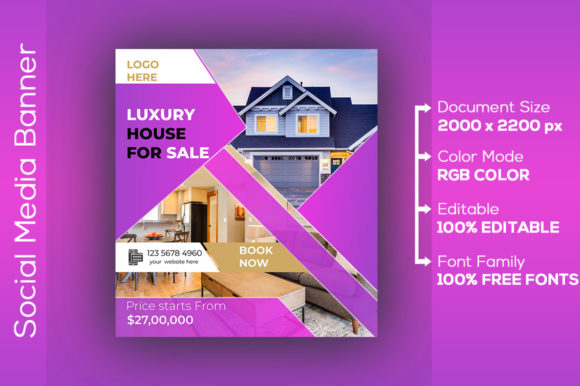
In the fast-paced world of property sales, your first impression is often digital. Before a potential buyer ever steps foot inside a home, they have likely scrolled past your listing on Instagram, Facebook, or LinkedIn. This is where a Social Media Real Estate Banner becomes an indispensable tool in your marketing arsenal. It serves as the visual handshake between your brand and your audience, signaling professionalism, attention to detail, and market authority. However, simply having a banner is not enough; understanding how to select, customize, and deploy these assets correctly can mean the difference between a listing that gathers dust and one that generates immediate inquiries.
Many agents and brokers rush into using pre-made templates without fully grasping the technical nuances involved. While these resources offer a fantastic shortcut to high-quality design, overlooking specific details regarding file formats, resolution, and color profiles can undermine your efforts. Let's explore the common pitfalls users encounter when integrating these banners into their strategy and how you can avoid them to ensure your properties look their absolute best.
Understanding the Value of High-Quality Digital Assets
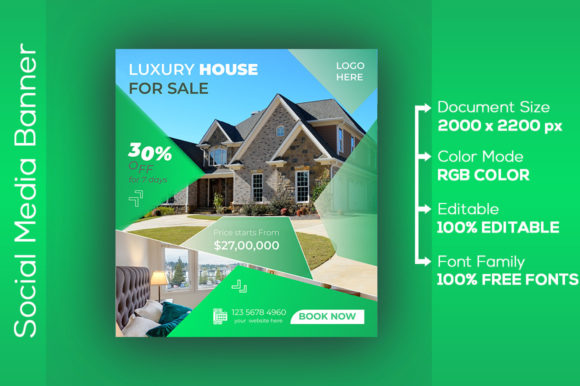
A Social Media Real Estate Banner is more than just a pretty image with text overlaid. It is a strategic communication tool designed to stop the scroll. In a feed cluttered with personal photos and unrelated content, a well-crafted banner highlights key property features, your contact information, and your unique value proposition instantly. When you acquire a professional template, you are essentially buying a head start. You gain access to layouts that have been tested for visual hierarchy, ensuring that the most important information catches the eye first.
The appeal lies in efficiency. Instead of hiring a graphic designer for every new listing or struggling with complex software from scratch, you can adapt a proven design. However, the convenience of downloadable templates often leads to a false sense of security. Users assume that downloading a file means the work is done. In reality, the download is just the beginning of the customization process, and this is where many well-intentioned marketers stumble.
The Trap of Ignoring File Formats and Editability
One of the most frequent mistakes involves misunderstanding the file types provided. When you purchase or download a premium Social Media Real Estate Banner, you will typically receive an EPS File and an AI File. These are vector-based formats used by professional design software like Adobe Illustrator. A common error occurs when users attempt to open these files in basic image viewers or non-vector editing tools like Microsoft Paint or standard photo apps.
If you cannot edit the text, swap the photos, or change the colors because you are using the wrong software, the template becomes useless. You might end up trying to overlay text on a flattened image, which rarely looks professional. To avoid this, ensure you have access to vector editing software or a compatible online tool before you begin. If you do not have Adobe Illustrator, look for templates that also include PSD (Photoshop) versions or utilize cloud-based design platforms that support vector imports. The goal is flexibility; you need to be able to tailor the banner to the specific property you are selling without compromising the design integrity.
Resolution and Color Profile Misconceptions
Another critical area where errors occur is in the handling of resolution and color spaces. You will often see specifications like 300 DPI and RGB Color listed in product descriptions. There is a prevailing misunderstanding that 300 DPI is strictly for print and therefore unnecessary for social media, which is displayed on screens. While it is true that screens generally display at 72 PPI (pixels per inch), starting with a 300 DPI source file provides a significant advantage.
Working with a high-resolution source ensures that when you resize the image for different platforms—such as shrinking a Facebook cover photo down to an Instagram story thumbnail—the image remains crisp and free of pixelation. If you start with a low-resolution file, scaling it up or even maintaining it on high-density retina displays can result in blurry, amateurish graphics. Furthermore, the RGB Color profile is essential for digital accuracy. Using a CMYK profile (intended for print) on social media can cause your vibrant blues and greens to look dull and washed out on mobile devices. Always verify that your final export is saved in RGB to ensure the colors pop exactly as intended on your client's screen.
Customization Errors That Hurt Credibility
Even with the right files and settings, the way you customize the content can make or break your campaign. A major pitfall is "template fatigue," where the design looks too generic. If you leave the stock placeholder text or fail to update the imagery to match the actual property, savvy buyers will notice immediately. This disconnect creates a lack of trust. For instance, if your banner shows a modern kitchen but the listing is for a rustic cottage, the confusion can deter clicks.
To correct this, treat the template as a framework, not a final product. Replace every single element with property-specific data. Use high-quality photos of the actual listing rather than generic stock images whenever possible. Additionally, pay attention to font readability. A common mistake is choosing a stylish but thin font that becomes illegible on small mobile screens. Always preview your Social Media Real Estate Banner on a smartphone before publishing. If you have to squint to read the price or the address, your potential client will simply keep scrolling.
Strategic Implementation Across Platforms
Different social media platforms have different dimension requirements. A mistake many beginners make is uploading the same banner crop to LinkedIn, Instagram, and Facebook without adjusting the composition. What looks perfect on a wide Facebook cover might get crucial text cut off on an Instagram post. Before you finalize your design, check the current dimension guidelines for each platform you intend to use.
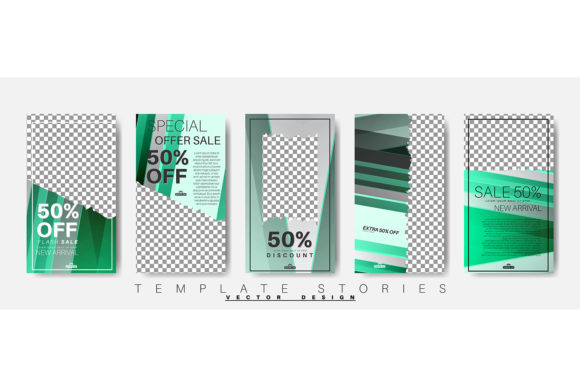
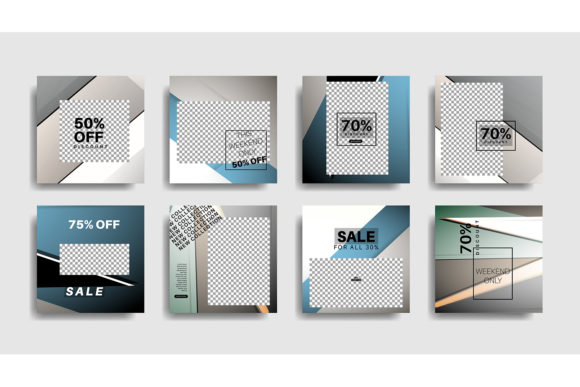
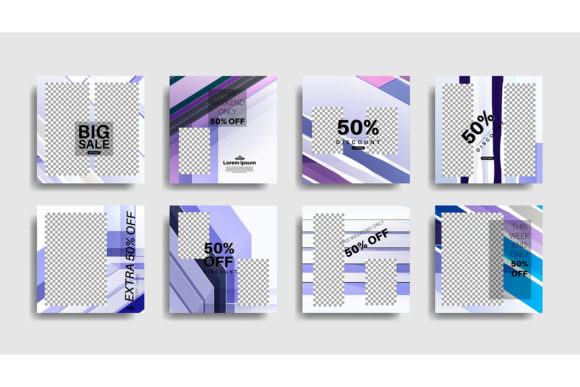
A better approach is to create variations of your core design. Since you have the editable AI and EPS files, you can easily adjust the canvas size while keeping the branding consistent. This ensures that your message is optimized for the specific viewing context of each network. Consistency in branding—using the same logo placement, color palette, and tone across all channels—reinforces your professional identity, but the layout must adapt to the medium.
Checklist Before You Publish
To ensure you are getting the maximum return on your design investment, run through this quick checklist before you hit publish:
- Verify Editability: Confirm you can open and modify the AI or EPS files without errors.
- Check Resolution: Ensure your working file is high resolution (300 DPI) to allow for flexible cropping and resizing.
- Confirm Color Mode: Double-check that your document and exported images are set to RGB for accurate screen display.
- Proofread Content: meticulously check phone numbers, URLs, and property addresses for typos.
- Mobile Test: View the final image on a mobile device to ensure text is legible and key elements are not cropped.
- Platform Fit: Adjust the aspect ratio to fit the specific requirements of the social network you are using.
By paying attention to these technical and creative details, you transform a simple graphic file into a powerful marketing asset. A Social Media Real Estate Banner is an investment in your brand's perception. When executed correctly, it communicates competence and reliability, encouraging potential clients to take the next step. Avoid the shortcuts that lead to poor quality, and instead embrace the full potential of these professional tools to elevate your real estate business.